> ## Documentation Index
> Fetch the complete documentation index at: https://resend.com/docs/llms.txt
> Use this file to discover all available pages before exploring further.
# How to add the Resend integration to your Anything project
> Learn how to add the Resend integration to your Anything project.
export const YouTube = ({id}) => {
return ;
};
[Anything](https://createanything.com) is a platform for building web sites, tools, apps, and projects via chat. With their [Resend integration](https://www.createanything.com/docs/integrations/resend), you can send emails from your Anything project.
If you prefer to watch a video, check out our video walkthrough below.
## Guide
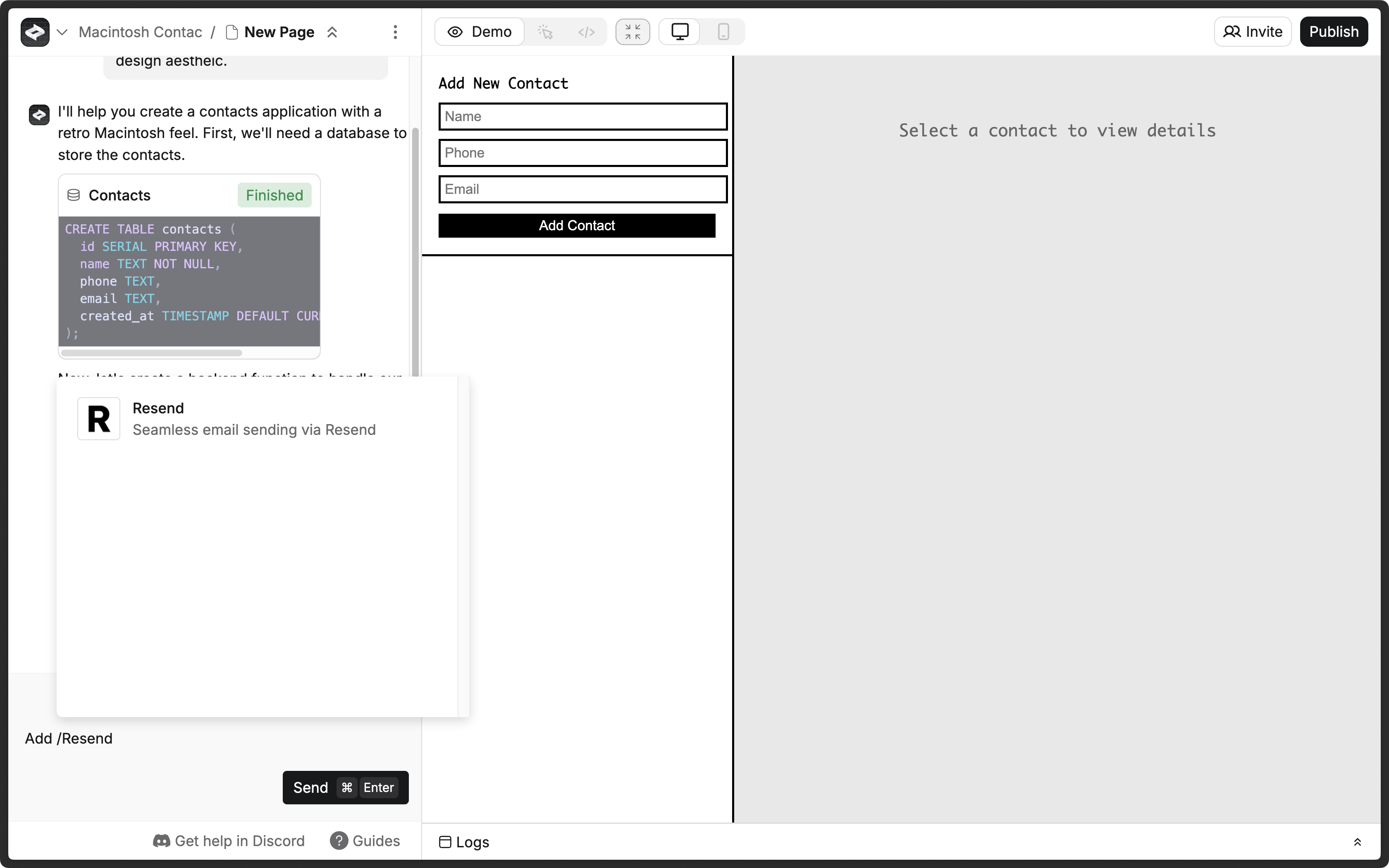
Type `/Resend` in the chat and select the integration, and ask Anything to add email functionality to your project.
Anything usually prompts you for a Resend API key, which you can add in the [Resend Dashboard](https://resend.com/api-keys). If Anything doesn't prompt you for a Resend API key, click the **More options** button and select **Secrets**.
Click the **Add new secret** button.
* **Name:** `RESEND_API_KEY`
* **Value:** Your Resend API key (e.g., `re_xxxxxxxxx0`)
Learn more about [Secrets in Create](https://www.createanything.com/docs/essentials#project-settings).
By default, you can only send emails to your own email address.
To send emails to other email addresses:
1. Add a [custom domain to your Resend account](https://resend.com/domains).
2. Add the custom domain to the `from` field in the `resend` function in Create.
Learn more about [Functions in Create](https://www.createanything.com/docs/builder/functions).